
Colors Picker
Color Picker
Select, convert, and save colors with ease
Color Wheel
RGB Sliders
Color Preview
Color Codes
Color Palette
Recent Colors
The Ultimate Guide to Using an Online Color Picker Tool
In today’s digital world, colors play a crucial role in design, branding, and user experience. Whether you’re a web designer, graphic artist, or just someone working on a personal project, having the right colors can make all the difference. That’s where online color picker tools like the one at MyColorsFusion.com come in handy.
What is a Color Picker?
A color picker is a digital tool that helps you select, identify, and work with colors for your projects. Think of it as a digital paint palette that gives you precise control over the colors you use. The color picker at MyColorsFusion.com offers a comprehensive solution for all your color needs.
Why Use MyColorsFusion Color Picker?
Easy to Use Interface
Our color picker features a simple, intuitive design that anyone can use. You don’t need to be a design expert to find the perfect colors for your project. The clean layout and straightforward controls make color selection a breeze.
Multiple Color Formats
Different projects require different color formats. Our tool provides colors in all the popular formats:
HEX codes (like #FF5733) for web design
RGB values (like rgb(255, 87, 51)) for digital projects
HSL values for more intuitive color adjustment
CMYK codes for print materials
Real-Time Preview
See your selected color in real-time with our large preview area. This helps you visualize how the color will look in your actual project before you implement it.
Key Features of Our Color Picker
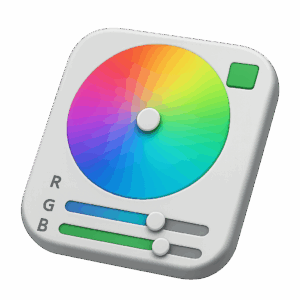
Interactive Color Wheel
The color wheel is the heart of our tool. Simply click anywhere on the wheel to select a color. The wheel shows the full spectrum of colors, making it easy to find exactly what you’re looking for.
RGB Sliders
For precise control, use our RGB sliders. Adjust the red, green, and blue values individually to fine-tune your color selection. The sliders include numeric inputs for exact value entry.
Color Palette Generator
Not sure what colors work well together? Our tool includes pre-made color palettes and can help you create harmonious color combinations that look great together.
Recent Colors History
Never lose a color you liked! Our tool remembers your recently selected colors, making it easy to go back to a color you used earlier.
Practical Applications
Web Design and Development
Choose perfect colors for your website’s background, text, buttons, and other elements. Get the exact HEX codes you need for your CSS.
Graphic Design
Create stunning graphics with precisely matched colors. The RGB and CMYK support ensures your colors look great both on screen and in print.
Branding Projects
Maintain consistency in your brand colors across all materials. Once you find your perfect brand colors, you can save them for future reference.
Social Media Content
Make your social media posts stand out with carefully chosen colors that match your brand and appeal to your audience.
Home Decor and DIY Projects
Planning to paint a room or work on a craft project? Use our color picker to visualize different color options before you make your final decision.
Tips for Effective Color Selection
Consider Color Psychology: Different colors evoke different emotions. Blues often represent trust and calmness, while reds can signify energy and passion.
Ensure Accessibility: Make sure there’s enough contrast between text and background colors for readability.
Create Harmony: Use complementary colors (opposites on the color wheel) or analogous colors (next to each other) for pleasing combinations.
Limit Your Palette: Stick to 2-4 main colors to maintain visual consistency.
Test Across Devices: Colors can look different on various screens, so test your selections on multiple devices.
Frequently Asked Questions
1. How do I copy a color code?
Simply click on any of the color code boxes (HEX, RGB, HSL, or CMYK) and the code will be automatically copied to your clipboard.
2. Is the color picker tool free to use?
Yes, our color picker is completely free with no limitations or registration required.
3. Can I save my favorite colors?
While we don’t have a permanent save feature, the recent colors section keeps track of your last several selections during your current session.
4. What’s the difference between RGB and CMYK?
RGB (Red, Green, Blue) is used for digital screens, while CMYK (Cyan, Magenta, Yellow, Black) is used for printing. Colors may look slightly different between these formats.
5. How accurate are the color values?
Our color picker provides precise, professional-grade color values that you can trust for any project.
6. Can I use the colors for commercial projects?
Yes, all colors selected through our tool can be used for both personal and commercial projects without restriction.
7. Does the tool work on mobile devices?
Absolutely! Our color picker is fully responsive and works perfectly on smartphones and tablets.
8. How do I reset the color picker?
Simply refresh the page to reset the tool to its default state.
9. What if I know the HEX code but want other formats?
Enter your HEX code in the HEX field, and all other formats will update automatically.
10. Can I adjust color brightness and saturation?
Yes, use the HSL values or the color wheel to adjust hue, saturation, and lightness to fine-tune your color.
Conclusion
A good color picker is an essential tool for anyone working with digital or print design. The MyColorsFusion color picker combines ease of use with professional features, making it suitable for beginners and experts alike. Whether you’re designing a website, creating graphics, or planning a home makeover, our tool provides everything you need to work with colors effectively.
Next time you need to find the perfect color, visit https://mycolorsfusion.com/color-picker/ and experience the difference a professional color tool can make. With its intuitive interface and comprehensive features, you’ll wonder how you ever managed without it!
Remember, great design starts with great colors, and great colors start with the right tools. Happy color picking!
It is appropriate time to make some plans for the future and
it’s time to be happy. I have read this post and if I could I want to suggest you few interesting things or tips.
Maybe you can write next articles referring to this article.
I desire to read even more things about it!