
Colors Palette Generators
Introduction
Choosing the right colors can make or break a design. Whether you’re building a website, designing an app, or creating marketing visuals, colors palette generators help you select harmonious color combinations quickly and efficiently. Today, designers have access to dozens of tools—some completely free, others available through paid subscriptions.
This raises an important question: should you rely on free tools, or is it worth investing in paid colour palette generators? Each option has its strengths, limitations, and ideal use cases. In this article, we’ll compare free vs paid colour palette generators in detail, helping you understand which solution fits your goals, budget, and workflow. By the end, you’ll be able to make a confident, informed choice.
What Are Colors Palette Generators?
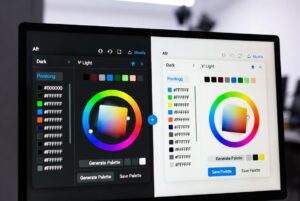
Colors palette generators are digital tools that create sets of colors that work well together. They’re widely used by:
- UI/UX designers
- Graphic designers
- Web developers
- Content creators and marketers
Most colors palette generators work by analyzing color harmony rules, contrast ratios, or user-selected base colors. Some even use AI to generate palettes based on images, brand values, or trends.
“Good design begins with the right color decisions.”
Free Colors Palette Generators: An Overview
Free color palette generators are often the first stop for beginners and small teams.
Key Features of Free Colors Palette Generators
- Basic palette generation
- HEX, RGB, or HSL values
- Simple UI and quick results
- No financial commitment
Popular free tools usually focus on speed and simplicity rather than depth.
Advantages of Free Colors Palette Generators
- Ideal for beginners
- Zero cost
- Easy to use
- Great for quick inspiration
If you’re experimenting or working on a personal project, free colors palette generators can be more than enough.
Limitations of Free Tools
- Limited customization options
- Few export formats
- No advanced accessibility checks
- Minimal brand management features
These limitations become noticeable as projects grow in complexity.
Paid Colors Palette Generators: An Overview
Paid colour palette generators are designed for professionals and teams that need more control and consistency.
Key Features of Paid Colors Palette Generators
- Advanced color customization
- Accessibility and contrast testing
- Brand palette storage
- Team collaboration features
- Integration with design tools
These platforms aim to streamline professional workflows and reduce guesswork.
Advantages of Paid Colors Palette Generators
- More precise colors control
- Better support for design systems
- Improved accessibility compliance
- Saves time on large projects
For agencies and growing brands, paid colors palette generators often pay for themselves through efficiency.
Potential Downsides
- Monthly or annual cost
- Learning curve for advanced features
- Overkill for simple projects
Not every user needs premium-level functionality.
Free vs Paid Colors Palette Generators: Side-by-Side Comparison
| Feature | Free Tools | Paid Tools |
| Cost | Free | Subscription-based |
| Customization | Basic | Advanced |
| Accessibility Testing | Rare | Common |
| Brand Management | Limited | Extensive |
| Team Collaboration | No | Yes |
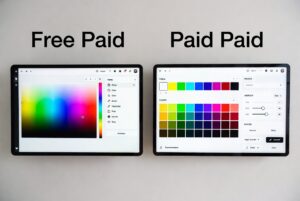
This comparison highlights that the difference isn’t just price—it’s depth and scalability.
Who Should Use Free Colors Palette Generators?
Free colors palette generators are best suited for:
- Students and beginners
- Bloggers and solo creators
- Small personal projects
- Quick mockups or inspiration
If your needs are simple and budget is limited, free tools are a smart choice.
Who Should Use Paid Colors Palette Generators?
Paid colors palette generators are ideal for:
- Professional designers
- Agencies managing multiple brands
- SaaS and product teams
- Businesses focused on accessibility
When consistency, efficiency, and scalability matter, paid solutions offer clear advantages.
How Accessibility Impacts Your Choice
Accessibility is no longer optional. Many paid colors palette generators include contrast ratio checks and WCAG guidelines, while most free tools do not.
If your project involves:
- Public-facing websites
- Government or enterprise clients
- Inclusive design goals
Then investing in paid colors palette generators can help avoid costly redesigns later.
Using Colors Palette Generators for Branding
Branding requires consistency. Paid tools allow you to save, reuse, and refine palettes over time.
Free tools, while useful, may require manual tracking, which increases the risk of inconsistency. For long-term branding, paid colors palette generators often provide better reliability.
Making the Right Decision
Before choosing, ask yourself:
- How complex are my design needs?
- Do I need accessibility compliance?
- Am I working alone or with a team?
- Is this a short-term or long-term project?
Answering these questions will clarify whether free or paid colors palette generators are right for you.
Conclusion
Both free and paid colors palette generators have a place in modern design workflows. Free tools are perfect for beginners, quick inspiration, and small projects, while paid tools shine in professional environments where precision, accessibility, and consistency matter.
The right choice depends on your goals, budget, and scale of work. Start with free colors palette generators if you’re exploring, and upgrade to paid options as your needs grow. No matter which you choose, the right color palette will elevate your designs and strengthen your visual identity. Take the time to experiment—and let the tools work for you.